Architecture & Performance Highlights
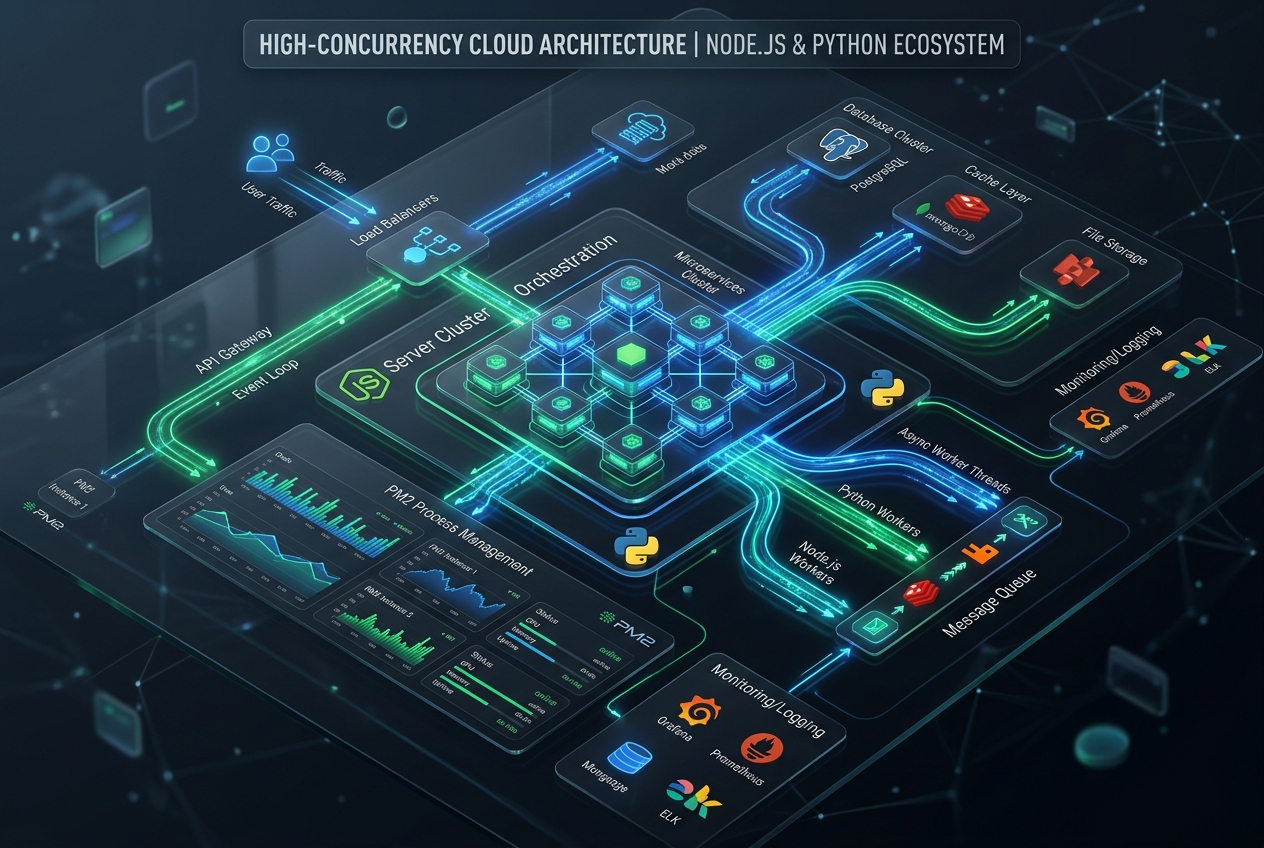
- •Multi-Core Node.js Clustering: Leverage PM2 cluster mode to utilize all CPU cores simultaneously.
- •Asynchronous Python via Uvicorn/FastAPI: Deliver sub-5ms API response times with modern ASGI workers.
- •Zero-Downtime Hot Reloading: Deploy code updates with zero dropped HTTP requests or socket disconnects.
Beyond PHP: Modern Application Stacks on cPanel
While cPanel was traditionally synonymous with PHP and MySQL hosting, modern cloud architectures frequently require Node.js microservices, WebSocket engines, and Python machine learning or data APIs running concurrently. Setting up these runtimes with proper process supervision unlocks massive concurrency on dedicated cloud servers.
Configuring PM2 Cluster Mode for Node.js
Node.js runs single-threaded by default. On a 4-core Clouds Panel cloud instance, standard node app.js leaves 75% of your compute power idle. Deploy an ecosystem.config.js file to orchestrate cluster workers automatically:
ecosystem.config.js
JavaScript
module.exports = {
  apps: [
    {
      name: 'production-api',
      script: './dist/server.js',
      instances: 'max', // Scale to all available CPU cores
      exec_mode: 'cluster',
      autorestart: true,
      max_memory_restart: '1G',
      env: {
        NODE_ENV: 'production',
        PORT: 3000
      }
    }
  ]
};
Python ASGI with FastAPI and Gunicorn Workers
For high-throughput Python APIs, run Gunicorn managing Uvicorn worker threads:
run_python_api.sh
Bash
# Launch production ASGI cluster with 4 workers
gunicorn main:app \
    --workers 4 \
    --worker-class uvicorn.workers.UvicornWorker \
    --bind 127.0.0.1:8000 \
    --access-logfile /var/log/api_access.log \
    --error-logfile /var/log/api_error.log